
Hi everyone!
Exciting news: Robot Tennis finally has a proper Settings menu!
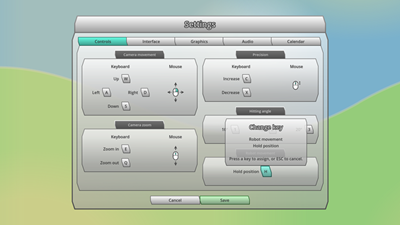
Initially, it was just a very simple kind of dummy screen with a couple of options to choose from. Now it is composed of 5 separate tabs for Controls, Interface, Graphics, Audio and Calendar settings.
The most development effort has been put in the Controls tab, where the player can now individually adjust all relevant in-game keyboard controls.
When clicking the “Save” button, any changes of settings are applied and saved to the local user config file. Once the game is started the next time, individual settings are loaded from the local user config file and applied automatically.
Apart from that, I updated and extended the “demonstration scene”. This is a separate, static scene in the game which is by default invisible but can be activated manually via code when debugging and is supposed to be used for demonstration purposes only (as the name suggests).
It shows a tennis court from a certain camera angle and with a certain composition of tennis robots, target fields and/or bonus bubbles. The demonstration scene has been part of the game for quite a while but it was poorly maintained and not easily configurable so far.
I made a few improvements to that scene, so that it can be used much easier and in a more flexible way to create assets like background images for the Steam Page or character art for the Press Kit etc.