
Hi everyone!
First of all, sorry for the long waiting time since the last update. Due to private issues it took me longer than expected to complete the next iteration of the game.
However, it is done now and a few great features have been added:
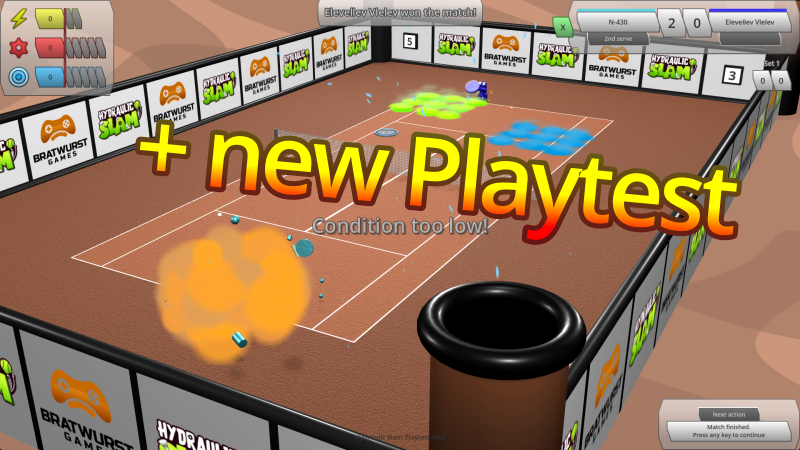
- A tutorial that explains the most important mechanics of the game as soon as they show up for the first time. Tutorial messages can be turned on or off in the settings menu. You can also reset all tutorial messages there, in case you’d like to see them again. Otherwise they won’t be shown again after being closed.
- When a robot moves over a burning area of the court, its condition deteriorates. Once its condition goes down to 0, the robot explodes and loses the match immediately. So you might want to keep an eye on your condition and maybe try to hit that red bonus bubble before it’s too late…
- Hover your mouse over the opponent robot on the court to switch the attribute overview in the top left corner to show your opponent’s attributes, instead of your own attributes.
- Some smaller bugfixes, e.g. when the ball is flying towards a robot, its racket is now moving to the correct intersection position on the predicted flight path, etc…
- Updated Godot to 4.6.2 (which needed some small but unexpected adjustments to make everything work again properly).
- Fast mode: To make matches more fast-paced and less tedious, at initial robot setup you can now choose between “Simulation” (the original mode, featuring longer games and realistic scoring) and “Fast” (a new mode where games always use simple tiebreak scoring and end after 3 points already).
- Robot upgrades: From the calendar you can now access a new “Upgrades” window, where you can spend your Robot Points to unlock improvements that allow you to hit the ball more precisely, consume less energy when moving around the court, consume less precision when hitting the ball or even recover some of your used up attributes between games within a match.
- The playtest is now available again for a limited time. This time, the focus is on the new “Fast” mode, which is why “Simulation” mode is deactivated for now. Please try it out and let me know your opinion through the in-game feedback link (or just go here) or in the Bratwurst Games Discord channel!